Hotel invoice processing follows a sequence of steps: invoice receipt and capture, GL coding, manager approval, payment scheduling, and posting to the general ledger. In manual workflows, each step requires staff time and introduces risk. In automated workflows, most steps are system-driven with staff reviewing exceptions rather than processing every invoice individually.
Key Takeaways
- Hotel invoice processing involves five core steps: receipt, coding, approval, payment scheduling, and posting
- Manual workflows create risk at each step through lost invoices, coding errors, and approval delays
- Automation handles routine invoices and surfaces exceptions for human review
- GL coding accuracy is critical because errors distort department-level P&L reporting
- Three-way matching adds a verification step for PO-based invoices before payment
- Common failure points concentrate around coding, approval routing, and duplicate detection
Step 1: Invoice Receipt and Capture
The invoice processing workflow begins when an invoice enters the AP team’s hands. For hotel operations, invoices arrive through multiple channels: email from vendors, electronic data interchange (EDI), physical mail, or handed directly to property staff at delivery. The first challenge is ensuring every invoice enters the hotel accounting platform promptly and completely.
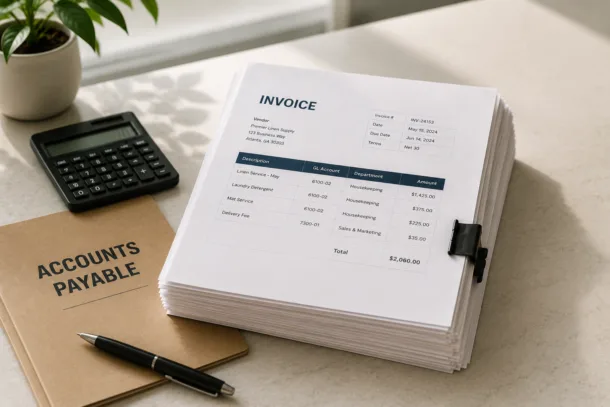
In manual workflows, staff sort invoices by property, match them to delivery records or purchase orders, and enter them into the accounting system by hand. This process is time-consuming and introduces transcription errors. In automated workflows, invoices received by email are captured automatically, and physical invoices are scanned and processed through optical character recognition (OCR) that extracts key data fields without manual entry.
Capture completeness is essential. An invoice that is not captured is an invoice that will be paid late, creating vendor relationship damage, or paid twice when the vendor follows up, creating a payment control failure.
Step 2: GL Coding
Once an invoice is captured, it must be assigned to the correct general ledger account and department. GL coding accuracy determines whether the department P&L reflects actual costs. An invoice from a linen supplier coded to the administrative department instead of housekeeping moves cost from one P&L to another, making both inaccurate. AI-powered GL coding reduces this error by suggesting codes based on vendor history and invoice content, with staff reviewing and confirming rather than assigning from scratch.
In manual workflows, GL coding depends on the knowledge and judgment of the staff member processing the invoice. Inconsistency across staff members and properties is the natural result. Standardized coding guides help but must be maintained and consulted. Automated code suggestions enforce consistency without requiring staff to memorize account structures.
Step 3: Manager Approval
Coded invoices are routed to the appropriate manager for approval before payment is authorized. The routing logic determines who approves which invoices: typically by property, department, and dollar amount. A food and beverage invoice under a defined threshold might route to the F&B manager, while the same type of invoice above the threshold routes to the general manager.
In manual workflows, approval routing happens by email or physical signature. Both methods create delays when approvers are unavailable, and neither creates a reliable audit trail without additional documentation. Automated approval workflows route invoices electronically, track approval status in real time, and apply escalation rules when approvers do not respond within a defined window.
Approval bottlenecks are one of the most common sources of late payment in hotel operations. Automation reduces bottlenecks by making invoice status visible and applying escalation rules that prevent invoices from sitting indefinitely in an unanswered email thread.
Step 4: Payment Scheduling
After approval, invoices are scheduled for payment based on vendor terms. Net 30 terms mean the invoice should be paid within 30 days of the invoice date. Early payment discount terms, such as 2/10 net 30, offer a discount if paid within the shorter window. Missing either window results in either a late fee or a lost discount opportunity.
In manual workflows, payment scheduling typically relies on a calendar or spreadsheet that must be maintained by AP staff. Invoices can fall through the cracks, particularly for properties with high invoice volume. Automated payment scheduling tracks due dates and discount windows by invoice, generates payment run reports for AP review, and creates alerts when due dates are approaching.
Step 5: Posting to the General Ledger
After payment is executed, the transaction is posted to the general ledger, creating the financial record of the expense. In automated workflows, posting happens as part of the payment execution, with the transaction automatically coded to the correct GL account, department, and period. In manual workflows, posting requires a separate data entry step that can introduce errors in account, amount, or period.
Posting accuracy is particularly important at period end. Invoices posted to the wrong period distort the income statement and require adjustment entries that slow the close process.
How Three-Way Matching Fits Into the Process
For invoices generated from purchase orders, a three-way match step is inserted before approval. The procurement system handoff compares the purchase order, the receiving record from the property, and the vendor invoice. When all three match on vendor, item, quantity, and price, the invoice moves to the approval step. When they do not match, the discrepancy is investigated before the invoice proceeds.
Three-way matching is the most effective control against two types of payment failure: invoices for goods that were not received, and invoices with pricing that does not match the agreed purchase order. Both are common in hotel operations with high vendor transaction volume.
Common Failure Points in Hotel Invoice Processing
- Lost invoices: Invoices that arrive physically or to individual email inboxes and are never entered into the system
- GL coding errors: Invoices coded to the wrong account or department, distorting P&L reporting
- Approval delays: Invoices sitting in unanswered email threads past their due date
- Duplicate invoices: The same invoice entered and paid twice, particularly common when vendors resend after non-response
- Late payment fees: Invoices paid after due date because payment terms were not tracked
- Missed discounts: Early payment discount windows missed because payment was not scheduled promptly
How Automation Overlays on the Process
Automation does not eliminate all of these failure points, but it substantially reduces them. Digital invoice capture prevents physical invoice loss. AI GL coding reduces coding errors. Automated approval routing with escalation rules prevents approval delays. Duplicate detection flags invoices that match prior invoice numbers or amounts from the same vendor. Payment term tracking and alerts prevent late payments and capture discounts.
The staff role in an automated AP workflow shifts from processing every invoice to reviewing exceptions and approving the transactions that require human judgment. The result is fewer errors, faster processing, and lower cost per invoice.
Inn-Flow: AP Workflow Built for Hotel Management Companies
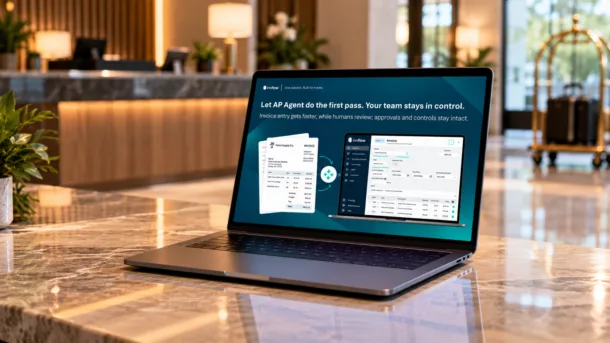
Inn-Flow’s hotel accounting platform automates hotel invoice processing with AI-powered GL coding, configurable approval workflows, and integration with the procurement system for three-way matching. The platform is designed for management companies processing invoices across multiple properties from a centralized accounting team.
See how Inn-Flow handles hotel AP at inn-flow.com/accounting.
Frequently Asked Questions
What are the steps in hotel invoice processing?
Hotel invoice processing follows five steps: receipt and capture, GL coding, manager approval, payment scheduling, and posting to the general ledger. In automated workflows, most steps are system-driven with staff reviewing exceptions.
What causes delays in hotel AP workflows?
The most common causes of delay are approval bottlenecks when approvers are unavailable or do not receive clear routing, lost invoices that were never captured into the system, and manual data entry backlogs when AP staff have high invoice volumes.
Why does GL coding accuracy matter in hotel invoice processing?
GL coding errors move expenses from the correct department P&L to the wrong one, distorting financial reporting for both departments. Inaccurate department P&Ls make variance analysis unreliable and reduce the value of financial reporting for operational decision-making.
What is three-way matching in hotel AP?
Three-way matching compares the purchase order, the receiving record, and the vendor invoice before approving payment. It prevents payment for goods not received and catches pricing discrepancies before they become paid errors.
How does hotel AP automation affect the controller’s workload?
AP automation shifts the controller’s role from processing routine invoices to reviewing exceptions and managing the AP workflow. Controllers who previously spent significant time on data entry can redirect that time to analysis, vendor management, and close process oversight.