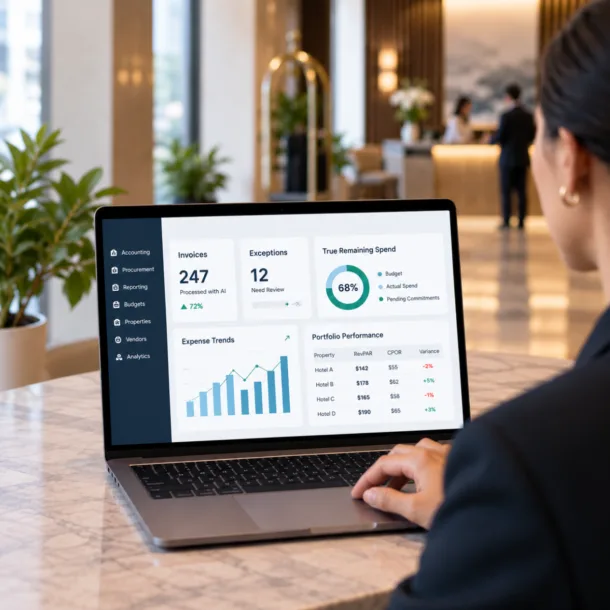
Hotel financial dashboards are interactive displays that aggregate revenue, cost, and profitability data from across a property or portfolio and present it in a format users can act on immediately. Unlike static reports, dashboards update continuously and allow filtering, drill-down, and comparison across properties and time periods.
Key Takeaways
- Financial dashboards are not reports — they are interactive views of live or near-live data.
- The most useful hotel dashboards combine revenue metrics from the PMS with financial data from the GL and labor cost data from scheduling and payroll.
- Property-level and portfolio-level dashboards serve different audiences with different information needs.
- Dashboard accuracy depends entirely on the accuracy of the underlying accounting and operational data.
- Static PDF reports and interactive dashboards serve complementary purposes — neither eliminates the need for the other.
Hotel management companies operate under constant pressure to know — in real time — whether their properties are performing to plan. Hotel financial dashboards make that possible by consolidating financial and operational data from multiple source systems into a single, always-current view. This article explains what dashboards display, how they are populated, and how management teams at every level use them.
What Hotel Financial Dashboards Display
A hotel financial dashboard is an organized collection of metrics, charts, and comparisons that give users an immediate read on property or portfolio health. The specific metrics displayed depend on the user’s role and what decisions they need to make.
Common dashboard elements include:
- Revenue: room revenue, food and beverage revenue, ancillary revenue, and total revenue by day, month, and year-to-date.
- Profitability: GOP, NOI, EBITDA, and margin percentages at property and portfolio level.
- Labor cost: total labor expense, labor cost percentage, hours worked vs. hours scheduled, and overtime.
- Occupancy and rate: occupancy percentage, ADR, RevPAR, and trend lines against prior year.
- Budget vs. actual: variance reporting by line item, department, and property.
- Cash and payables: accounts payable aging, cash position, and working capital indicators.
Property-Level vs. Portfolio-Level Dashboards
Property-Level Dashboards
Property-level dashboards give general managers and property controllers a detailed view of one hotel’s financial performance. They typically show daily revenue against forecast, labor cost versus schedule, department-level P&L, and budget variance by expense category.
GMs use property-level dashboards to make daily operational decisions — adjusting staffing levels, responding to revenue shortfalls, and monitoring cost categories that are approaching or exceeding budget.
Portfolio-Level Dashboards
Portfolio dashboards give regional vice presidents, CFOs, and ownership groups a consolidated view across all properties. They show each property’s performance relative to budget and relative to peer properties, enabling quick identification of outliers that need attention.
Portfolio views are most useful when properties use a consistent chart of accounts and reporting structure. Inconsistent accounting makes meaningful cross-property comparison impossible, even with excellent dashboard software.
How Dashboard Data Is Populated
A dashboard is only as good as its data sources. The most reliable hotel dashboards connect directly to the systems that produce financial data rather than relying on manual imports or periodic exports. Hotel accounting platform integration provides the GL data that powers revenue, expense, and profitability metrics. When accounting transactions post, dashboard figures update automatically.
Other data sources that feed financial dashboards include:
- Property management system: occupancy, ADR, and RevPAR data that supplements the financial picture with demand metrics.
- Payroll: actual wage costs that provide the authoritative labor expense figure for P&L reporting.
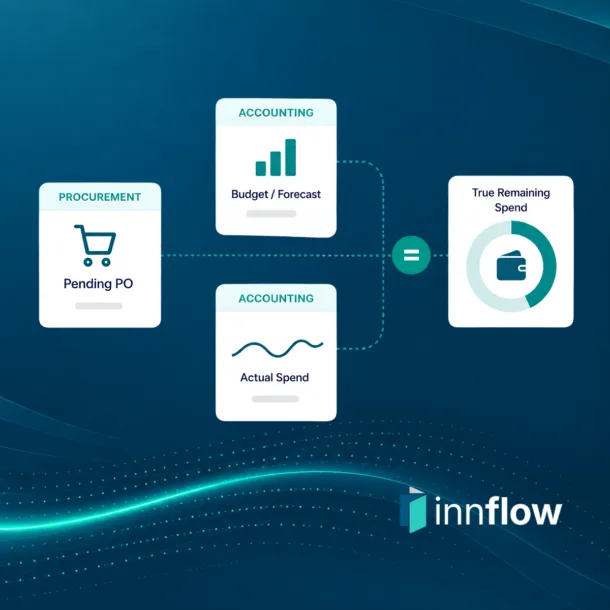
- Procurement: vendor spend and purchase order data that shows supply costs before they hit the GL.
Platforms that require manual data entry or scheduled file imports create a lag between events and dashboard visibility. For labor cost management and revenue tracking, that lag reduces the value of the dashboard significantly.
Key Dashboard Elements
KPI Scorecards
Scorecards surface headline metrics — NOI margin, RevPAR, labor cost percentage — at a glance, with trend indicators and comparison to budget or prior period. They allow users to assess overall health before drilling into detail.
Variance Reports
Budget vs. actual variance is the most operationally actionable dashboard element. Users should be able to see variance by line item, by department, and by property, and should be able to filter by time period without waiting for a month-end report.
Trend Lines
Trend visualization shows whether key metrics are improving, stable, or declining over time. A single data point tells you where you are; a trend line tells you where you are headed.
Drill-Down Capability
A good dashboard lets users start at the summary level and drill into the detail behind any number. An NOI variance should be traceable to a specific department, expense category, and ultimately to the transactions that drove it.
Alert Flags
Automated alerts notify users when metrics cross defined thresholds — labor cost percentage above 35%, occupancy below pace, or accounts payable aging beyond 45 days. Alerts bring the dashboard to the user rather than requiring the user to check the dashboard.
Who Uses Hotel Financial Dashboards and How
General Managers
GMs check dashboards daily or multiple times per day. Their primary concerns are whether revenue is tracking to forecast and whether labor costs are within scheduled parameters. They use dashboards to make same-day decisions about staffing adjustments and departmental cost control.
Regional Vice Presidents
RVPs use portfolio dashboards to monitor multiple properties simultaneously. They look for properties that are underperforming relative to budget or to peer properties, then use drill-down to understand why before directing property-level responses.
Controllers and CFOs
Finance leaders use dashboards to accelerate the close process, validate accounting accuracy, and identify reconciliation needs. They also use dashboards to prepare for ownership conversations and to structure monthly reporting packages.
Ownership Groups
Some management companies provide owners with read-only dashboard access to performance data. This shifts the ownership relationship from periodic reporting to continuous transparency, which can improve owner confidence and reduce the volume of ad-hoc reporting requests.
Static Reports vs. Interactive Dashboards
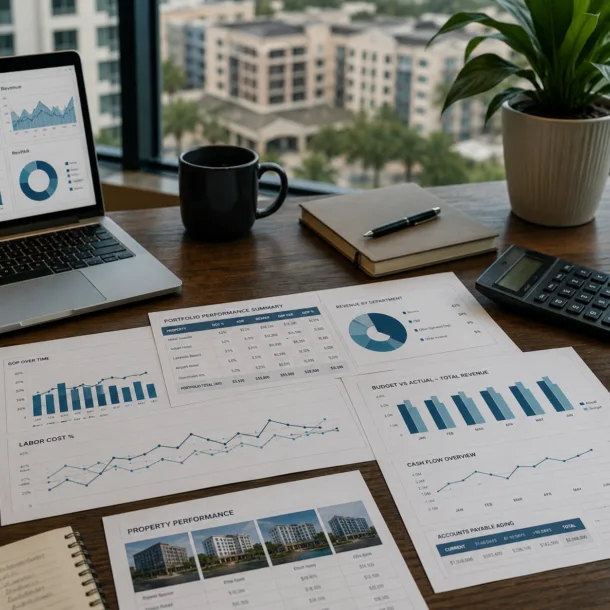
Static reports — PDFs, spreadsheets, email summaries — and interactive dashboards serve different but complementary purposes. Static reports are appropriate for formal monthly deliverables, ownership packages, and period-end close documentation. They provide a fixed record that can be shared, filed, and referenced later.
Interactive dashboards are appropriate for ongoing monitoring, operational decision-making, and ad-hoc analysis. They give users the ability to ask questions of the data that the report author did not anticipate.
Management companies that rely exclusively on static reports leave value on the table between close cycles. Those that rely exclusively on dashboards may lack the formal documentation that ownership relationships require. The best-performing operators use both.
Static reports tell ownership what happened. Interactive dashboards help management respond to what is happening.
How Inn-Flow Delivers Hotel Financial Dashboards
Inn-Flow’s business intelligence platform provides hotel management companies with property-level and portfolio-level dashboards that draw directly from Inn-Flow’s accounting, labor, and payroll modules. There are no manual imports or reconciliation steps between systems.
Management companies use Inn-Flow dashboards to monitor daily performance, prepare ownership reporting packages, track budget vs. actual across the portfolio, and give GMs visibility into the cost drivers they control.
Contact Inn-Flow to see the platform in action and learn how it can support financial visibility across your properties.
Frequently Asked Questions
What is the difference between a hotel financial dashboard and a report?
A report is a static document produced at a point in time. A dashboard is an interactive view of live or near-live data that users can filter, drill into, and explore. Reports are appropriate for formal deliverables; dashboards are appropriate for ongoing monitoring.
How frequently do hotel financial dashboards update?
Update frequency depends on integration quality. Dashboards connected directly to accounting and labor systems can update continuously. Those relying on file imports or scheduled syncs may update daily. Real-time or near-real-time updates are especially valuable for labor cost monitoring.
What makes a hotel dashboard inaccurate?
Inaccurate dashboards trace back to inaccurate source data — miscoded accounting transactions, delayed posting, or inconsistent chart-of-accounts usage across properties. The dashboard itself is only as reliable as what feeds it.
Can hotel ownership groups access financial dashboards directly?
Many management companies provide owners with read-only dashboard access. This approach improves transparency and reduces ad-hoc reporting requests. Access is typically role-restricted so owners see performance data relevant to their properties without accessing operational details.
Do hotel financial dashboards replace accountants?
No. Dashboards make accounting data more accessible and actionable, but they depend on accountants to ensure the underlying data is accurate and properly coded. Controllers and CFOs use dashboards as a tool to do their work more effectively, not as a replacement for accounting expertise.